


Garmin City Navigator Southern Africa NT Street Map, Turn-by-Turn Routing, POIs


-
Perfect Fit, Guaranteed
Get the right part every time
-
Expert Support
Our in-house specialists know our products inside and out
-
Enhanced Value & Service
We go beyond the sale with professional and balanced services
-
Wordwide Delivery
Enjoy hassle-free worldwide delivery
Garmin City Navigator Southern Africa NT Street Map, Turn-by-Turn Routing, POIs

Garmin City Navigator Southern Africa NT Street Map, Turn-by-Turn Routing, POIs
Overview
The Garmin City Navigator Southern Africa NT is a street-map package for compatible Garmin GPS devices that support City Navigator routing. It is meant for on-road navigation to addresses and intersections, not for on-water navigation.
Coverage includes more than 370,000 miles of routable roads and about 121,000 points of interest, which helps when you need quick lookups for lodging, restaurants, ATMs, and other stops while traveling. This is sold as a new map region rather than a map update for an existing map set.
Key features
- Turn-by-turn routing on compatible Garmin devices with address and intersection search.
- More than 370,000 miles of road coverage and about 121,000 points of interest for everyday stops while traveling.
- Offered as either a physical microSD/SD card or a computer-based download, depending on how you prefer to load maps.
- Download format installs through Garmin Express on a Windows or Mac computer.
- Not compatible with every Garmin unit, so the device must support City Navigator maps and the selected delivery format.
Variants
This product is offered in multiple configurations based on delivery format.
The format is what changes between versions, either a card you insert into the device or a download you install through a computer.
- 010-11595-00: Format microSD/SD. A physical memory card used in devices with a compatible card slot, with maps accessed from the card.
- 010-D0047-00: Format Download. Installed to a compatible Garmin device using Garmin Express on a computer.
Compatibility and fit
Before buying, confirm your Garmin unit supports City Navigator maps and that it matches the format you plan to use. The microSD/SD version requires a compatible card slot, while the download version requires a computer for installation and a device that can accept the map through Garmin Express.
If you move the map to a different unit, keep in mind that Garmin map licensing can be device-specific, so copying files between devices is not a dependable workflow.
Installation and setup
For the microSD/SD version, insert the card with the device powered off when possible, then power up and enable the map in the device map settings if it is not already active.
For the download version, install Garmin Express on your computer, connect the device, and follow the prompts to download and install the map. After installation, verify the map is enabled in your device settings before heading out.
Use on board
This map is a solid fit for boaters who trailer between launch ramps, bounce between marinas, or want dependable shore-side routing for provisioning runs and crew pickups. It is also handy when you keep a Garmin handheld or vehicle navigator in the nav station for planning land legs around a cruise.
We ship all in-store (FL) stock orders the same day if placed before 3 PM EST, Monday through Friday. Orders placed after this time will ship the next business day. Orders fulfilled from other warehouses or manufacturers may not ship the same day. If an item is out of stock, we will notify you promptly.
Related Products

Garmin City Navigator Australia & New Zealand NT Road Map, Turn-by-Turn Directions, POIs
Out of stock


Garmin Navionics Marine Chart, Southern Africa, 1-Year Subscription
Out of stock
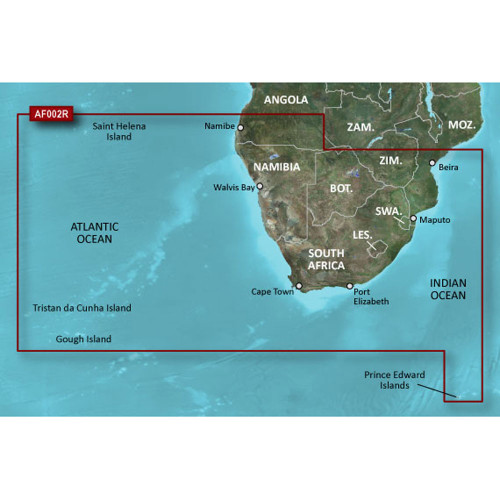
Garmin BlueChart Navigation Chart, Southern Africa Coastal and Inland, Up to 1 ft Contours, Depth Range Shading, Shallow Water Shading
Out of stock


Garmin Quarter-Turn Bike Mount, For Edge Devices, Stem/Handlebar

Garmin GHP 10 ECU-to-CCU Extension Cable, Quarter-Turn Collar