
Boat Chartplotters: How to Choose the Right One
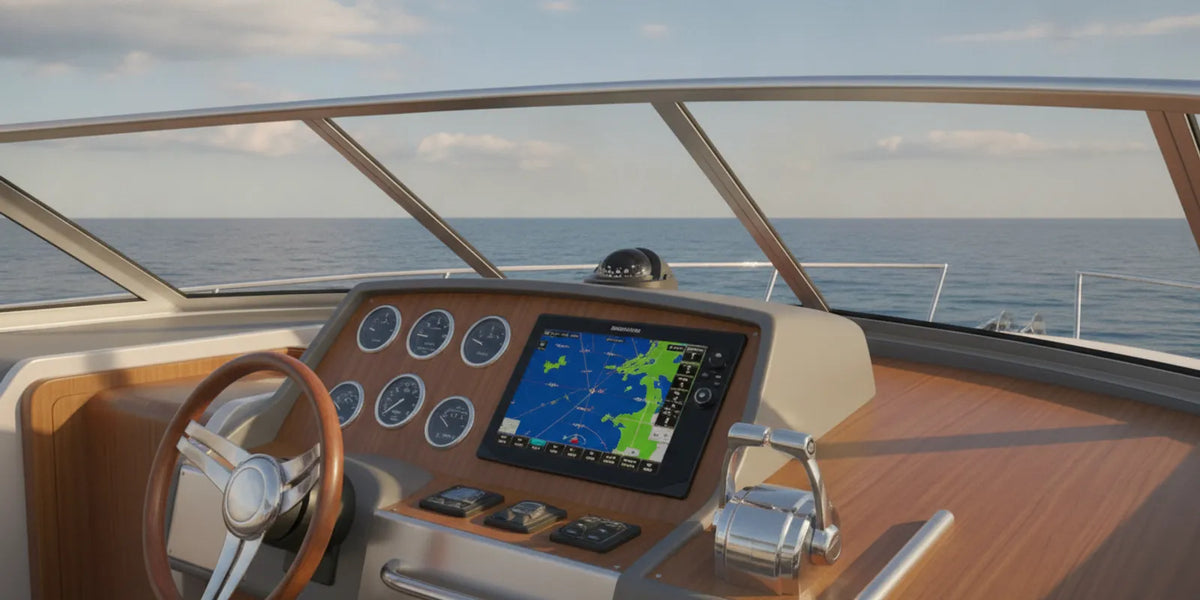
Boat chartplotters can make chart information and vessel position easier to view at the helm, but choosing one involves more than comparing screen sizes. The right option depends on where you boat, what information you want to see, the space and power available, and how it may connect with the electronics already on your vessel. Start by defining the job, then verify the requirements for each specific model.
Call Apollo for product-selection help
What do you need a chartplotter to do?
Write down the trips you make and what you need to manage at the helm. A chartplotter may be used to view electronic charts, check position, and plan or follow routes. Your priorities can differ if you primarily make familiar local trips, travel to new waters, or operate a boat for professional or charter work. The point is to describe your own use before judging a feature list.
Separate essentials from optional features. For example, you may need a readable chart display and position information, while integration with other onboard equipment may be a later consideration. Do not assume that a unit includes every chart, sensor, or connection you want. Check the documentation for the exact model and any required accessories.
How should you choose the display and mounting position?
Measure the available helm area before shopping. Record the width and height of the mounting space, nearby controls, and the viewing angle from the normal operating position. If replacing an existing display, note its outside dimensions and how it is mounted. A new model may not fit the old opening even if the screens seem similar in size.
Consider how you will read the display in the conditions where you use the boat. A unit in a bright, exposed helm may have different practical demands from one used in a protected cabin. Check the manufacturer’s stated display details and mounting requirements rather than relying on diagonal screen size alone. Also consider whether the screen’s location would obstruct a control or make it awkward to consult while operating the vessel.
What chart coverage and information should you verify?
Identify the waters where you expect to use the chartplotter, then check the coverage offered for those areas. Confirm whether chart data is included with the particular model or must be obtained separately, which chart formats it supports, and how updates are handled. Product lines can differ, so do not infer chart support from a brand name or from a neighboring model.
Think through a real trip as a test. If you travel between a home port and a destination, check that the chart coverage you need includes both areas and the route between them. If you boat in more than one region, list each area before comparing products. This simple step can expose a coverage mismatch before you buy.
Electronic chart information is one aid to navigation, not a substitute for attentive seamanship or awareness of changing conditions. Learn the controls before relying on a new unit underway, and consider how you will access backup navigation information. The U.S. Coast Guard provides official boating safety information on its website.
Will it work with your boat’s existing electronics?
Make an inventory of the equipment at the helm and elsewhere on the boat. Include model numbers for GPS devices, radar, instruments, and other equipment you hope to connect. Then compare that list with the chartplotter’s documented connections and supported devices. Similar connectors or products from the same manufacturer do not by themselves confirm compatibility.
Power and mounting requirements also deserve a model-by-model check. Review the unit’s stated voltage requirements and installation documentation against the vessel’s electrical setup. Do not copy wiring assumptions from a different model. If you are unsure what is installed, take clear photographs and write down equipment model numbers before asking for selection guidance; do not assume a product listing confirms fit or an installation service.
How can you compare chartplotters side by side?
Use the same questions for every model under consideration. Fill in answers from the product information and your boat’s measurements, rather than relying on a broad claim or a feature name.
- Navigation use: Does the documented function match the trips and information you need?
- Display and position: Can you see and reach it from the helm, and does it fit the measured space?
- Charts: Does supported coverage meet your needs, and are charts or updates separate?
- Connections: Does the exact model documentation support the equipment you plan to use?
- Power and mounting: Do stated requirements suit your boat and intended location?
- Included items: What comes with the unit, and what accessories or chart data may be additional?
For instance, imagine your boat has a limited helm opening and existing radar you hope to view alongside chart information. First measure the opening and note the radar’s exact model. Then check each candidate’s dimensions, documented radar support, required connections, and any accessories needed. If one detail is unclear, mark it as unconfirmed instead of treating it as a match.
When you are ready to review product options, browse Apollo’s marine electronics and navigation selection. Apollo Lighting is a Fort Lauderdale marine-equipment retailer specializing in marine lighting, and it also offers marine electronics and navigation products online where delivery is offered. Its team can provide product-selection help to boat owners and marine professionals; confirm details for the exact product before ordering.
What should you gather before asking for help?
A focused question is easier to answer when it includes the boat and the equipment already aboard. Gather the boat’s make, model, and year if known; photographs of the helm and available mounting area; and model numbers for electronics you want to retain or connect. Add the waters where you boat, your main chartplotter needs, and any chart coverage questions.
For a replacement, include the existing unit’s model and dimensions, plus any relevant information about its mount and power supply. For a new helm setup, explain what equipment is already installed and what you want to see or manage from the display. These details help narrow product questions without assuming universal fit, compatibility, or a particular installation requirement.
Apollo has its own line of marine lights and more than 30 years serving boaters, alongside a broader marine-equipment assortment. For navigation electronics, start with the exact unit’s specifications and your boat details, then use the electronics and navigation category to explore available options. Product specifications and availability can change, so review the current listing for the model you are considering.
What is the best next step?
Before choosing, compare your intended use, measurements, chart coverage, connections, power requirements, and included items against the documentation for the exact model. Keep unresolved fit or compatibility questions visible, and confirm them before purchase.
Call Apollo with your boat and equipment details
Taking measurements and recording existing equipment first gives you a practical basis for narrowing boat chartplotters and asking a focused product-selection question.