


Victron Energy MK3 VE.Bus Computer Interface, For Configuration


-
Perfect Fit, Guaranteed
Get the right part every time
-
Expert Support
Our in-house specialists know our products inside and out
-
Enhanced Value & Service
We go beyond the sale with professional and balanced services
-
Wordwide Delivery
Enjoy hassle-free worldwide delivery
Victron Energy MK3 VE.Bus Computer Interface, For Configuration

Victron Energy MK3 VE.Bus Computer Interface, For Configuration
Overview
The Victron Energy Interface MK3 is a VE.Bus to computer interface for configuring and updating compatible Victron inverter and inverter/charger systems. It is used between a VE.Bus port on the Victron unit and a computer connection, with variants available for USB and USB-C.
On a boat, this interface is useful during commissioning, battery setting changes, firmware updates, diagnostics, and service work on systems built around Multi, MultiGrid, MultiPlus, MultiPlus-II, Quattro, EasySolar, EasyPlus, VE.Bus BMS V2, and inverters with a VE.Bus communication port. A straight RJ45 UTP cable is required between the VE.Bus device and the interface.
Key features
- Connects compatible Victron VE.Bus products to a computer for configuration and firmware updates.
- Supports common Victron marine power equipment, including MultiPlus, MultiPlus-II, Quattro, EasySolar, EasyPlus, VE.Bus BMS V2, and VE.Bus inverters.
- Works with Victron configuration tools used for VE.Bus products, including VictronConnect and VEConfigure workflows.
- Available with either a USB computer connector or a USB-C computer connector, depending on the variant.
- Useful for onboard electrical work where inverter/charger settings need to match the vessel battery bank, shore power limits, generator behavior, or operating profile.
Variants
This Interface MK3 range is offered in two computer connection configurations. Both variants serve the same VE.Bus interface role, with the connector style on the computer side being the practical difference.
The VE.Bus side of the installation uses a straight RJ45 UTP cable between the interface and the compatible Victron device. The computer-side connector should match the laptop or service device used for configuration.
- ASS030140000, Computer Connector USB. This version suits service laptops and onboard computers that use a standard USB connection for setup and firmware work.
- ASS030140030, Computer Connector USB-C. This version suits newer laptops and service devices that use USB-C without needing a separate USB-A adapter.
Installation and setup
Connect the interface between the VE.Bus port on the Victron inverter or inverter/charger and the computer, using a straight RJ45 UTP cable on the VE.Bus side. For stable communication, use a manufactured Ethernet patch cable rather than a hand-crimped cable, as poor cable quality can cause connection problems even when the cable appears to work for normal networking.
The connected Victron device must be powered before the software can read it. Multi and Quattro units can communicate when supplied by either AC or DC, while compact inverter/charger models and inverters need DC power available.
Use cases on board
This interface is a practical tool for marine electricians, installers, and owners who maintain Victron-based AC power systems on cruising boats, fishing boats, workboats, and off-grid vessels. It helps when setting charge parameters, adjusting inverter/charger behavior, preparing a system before a passage, or checking settings during a refit.
It is especially relevant for boats where the power system includes shore power, generators, lithium or lead-acid battery banks, and VE.Bus inverter/chargers that need accurate configuration rather than simple plug-and-play operation.
We ship all in-store (FL) stock orders the same day if placed before 3 PM EST, Monday through Friday. Orders placed after this time will ship the next business day. Orders fulfilled from other warehouses or manufacturers may not ship the same day. If an item is out of stock, we will notify you promptly.
Related Products
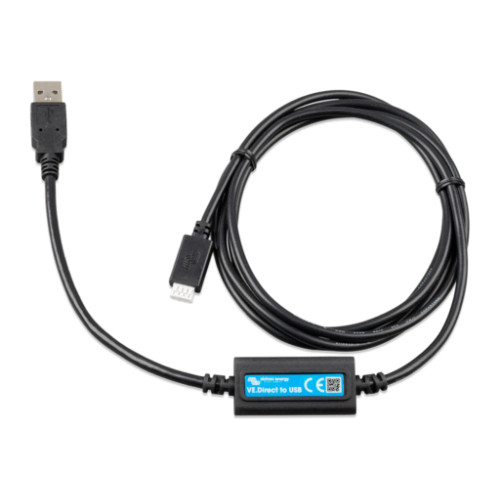

Victron Energy VE.Direct Interface Cable

Victron Energy RJ45 UTP Cable, 20m, For VE.Bus and VE.Can
Out of stock

Victron Energy RJ45 UTP Cable, 5m, for VE.Bus and VE.Can
Out of stock


Victron Energy MultiPlus 2000VA Inverter/Charger, 120V, VE.Bus


Victron Energy MultiPlus 2000VA Inverter/Charger, 120V, VE.Bus