


Garmin Navionics Chart, Canada West & Alaska, 1-Year Updates



-
Perfect Fit, Guaranteed
Get the right part every time
-
Expert Support
Our in-house specialists know our products inside and out
-
Enhanced Value & Service
We go beyond the sale with professional and balanced services
-
Wordwide Delivery
Enjoy hassle-free worldwide delivery
Garmin Navionics Chart, Canada West & Alaska, 1-Year Updates

Garmin Navionics Chart, Canada West & Alaska, 1-Year Updates
Overview
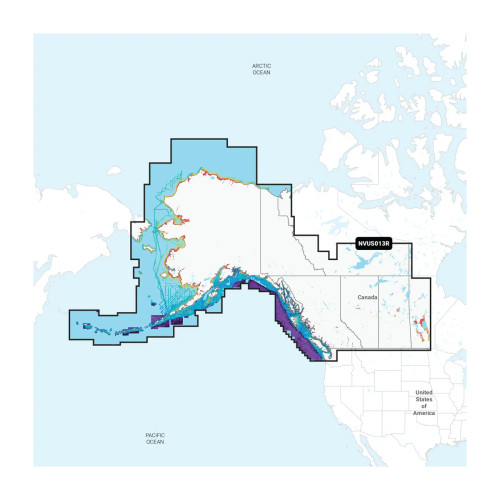
The Garmin Navionics Vision+ NVUS013R is an electronic chart region for compatible Garmin chartplotters covering Canada, West & Alaska with coastal waters plus inland lakes and rivers. Coverage includes areas such as Vancouver Island, Puget Sound, and the Aleutian Islands. A one-year subscription is included for daily chart updates through the ActiveCaptain app, along with tools like Auto Guidance+ route planning and depth range shading with up to 10 selectable ranges.
This region is offered in both Garmin Navionics+ and Garmin Navionics Vision+. Navionics+ focuses on core navigation and fishing layers, while the Vision+ version adds access to premium chart layers that can be downloaded during the subscription period, such as high-resolution relief shading, satellite imagery, and 3D views where available.
Choose between a preloaded microSD/SD card or a download license, depending on how you prefer to load charts on board. This is a good match for coastal cruisers and anglers running the Pacific Northwest and Alaska routes who want current chart data and depth-focused shading without switching between separate inland and coastal products.
Key features
- Canada, West & Alaska region coverage for coastal waters plus inland lakes and rivers, including areas such as Vancouver Island, Puget Sound, and the Aleutian Islands.
- One-year subscription included for daily chart updates through the ActiveCaptain app.
- Auto Guidance+ route planning that factors in your selected depth and overhead clearance settings (planning aid only).
- Depth range shading with up to 10 user-selected depth bands to help separate fishable water from no-go zones at a glance.
- Up to 1-foot contours where available to make bottom shape easier to read than broad contour intervals.
- Available as Garmin Navionics+ or Garmin Navionics Vision+ in either microSD/SD card format or a download format.
- Vision+ supports additional downloadable premium layers during the subscription period, including high-resolution relief shading, satellite imagery, sonar imagery, aerial photography, and 3D views where available.
Variants
This chart region is offered in multiple configurations so you can match both the chart feature set and the delivery method to your setup.
Across the options, the main differences are the version (Garmin Navionics+ or Garmin Navionics Vision+) and the format (preloaded microSD/SD card or Download). The coverage area remains Canada, West & Alaska for all variants listed below.
- 010-C1485-00: Version Garmin Navionics Vision+; Format microSD/SD. Use a physical card in the chartplotter and download eligible premium layers during the subscription period if you want the extra Vision+ overlays.
- 010-D2232-00: Version Garmin Navionics Vision+; Format Download. Load the region to a memory card for your chartplotter using chart installer software, then download eligible premium layers during the subscription period if needed.
- 010-C1485-20: Version Garmin Navionics+; Format microSD/SD. Use a physical card in the chartplotter with the Navionics+ layer set and keep charts current with daily updates during the subscription period.
- 010-D2232-20: Version Garmin Navionics+; Format Download. Load the region to a memory card for your chartplotter using chart installer software, then manage updates during the subscription period through ActiveCaptain.
Compatibility and setup
These charts are for compatible Garmin chartplotters that support Garmin Navionics+ and Garmin Navionics Vision+ cartography. Your chartplotter needs an SD card slot, and microSD card versions are used with an adapter when required by the unit.
For the download versions, you will typically write the chart data to a memory card using chart installer software, then insert that card into the chartplotter. For updates and downloadable layers during the subscription period, plan on using the ActiveCaptain app workflow so the plotter and mobile device can complete the update process.
Auto Guidance+ is a planning tool and should be treated as guidance, not as a substitute for piloting, local notices, or good seamanship.
Use cases on board
On a cruising boat, this region is often used for route planning and day-to-day navigation through channels, inlets, and marina approaches along the BC and Alaska coasts. On fishing boats, depth shading and tighter contour detail help when you are working structure and trying to stay in a specific depth band.
Maintenance and care
Keep the card contacts clean and dry, and store the card in a protected case when it is not in the chartplotter. If your helm sees spray, treat the card slot area as a dry zone and handle the card with dry hands to avoid corrosion on the contacts.
We ship all in-store (FL) stock orders the same day if placed before 3 PM EST, Monday through Friday. Orders placed after this time will ship the next business day. Orders fulfilled from other warehouses or manufacturers may not ship the same day. If an item is out of stock, we will notify you promptly.
Related Products

Garmin Navionics Vision+ Chart Card, NVUS004R Canada & Alaska
Out of stock


Garmin Navionics Marine Chart, Ireland West Coast, 1-Year Subscription, Daily Chart Updates

Garmin Navionics Canada North Marine Chart, 1-Year Subscription
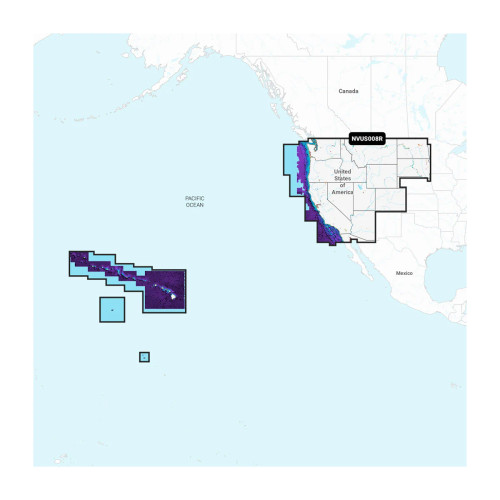
Garmin Navionics U.S. West Electronic Chart, 1-Year Subscription
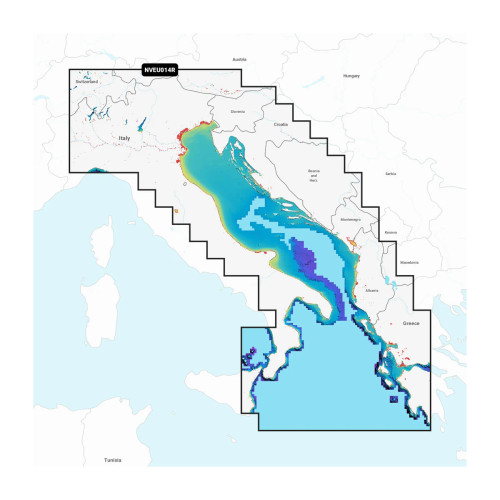
Garmin Navionics Chart, Italy & Adriatic Sea, 1-Year Daily Updates