


Garmin BlueChart g3 Vision HD VUS010R Electronic Chart, South Florida and North Bahamas, Auto Guidance, Relief Shading, 1 ft Contours, 3D Views, Satellite Imagery

-
Perfect Fit, Guaranteed
Get the right part every time
-
Expert Support
Our in-house specialists know our products inside and out
-
Enhanced Value & Service
We go beyond the sale with professional and balanced services
-
Wordwide Delivery
Enjoy hassle-free worldwide delivery
Garmin BlueChart g3 Vision HD VUS010R Electronic Chart, South Florida and North Bahamas, Auto Guidance, Relief Shading, 1 ft Contours, 3D Views, Satellite Imagery

Garmin BlueChart g3 Vision HD VUS010R Electronic Chart, South Florida and North Bahamas, Auto Guidance, Relief Shading, 1 ft Contours, 3D Views, Satellite Imagery
Overview
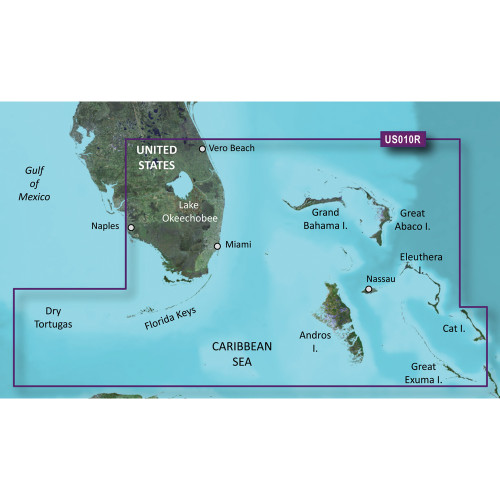
The Garmin BlueChart g3 Vision HD VUS010R is an electronic chart region for Southeast Florida and the Bahamas, available in microSD/SD card and download formats. Coverage includes Vero Beach down to Lake Okeechobee, the Florida Keys, Dry Tortugas, and across to Naples on Florida's west coast, with the Bahamas also included.
Chart detail blends Garmin and Navionics data and adds features that are helpful when you are threading shallow areas or planning an approach, including relief shading, depth range shading, shallow water shading, satellite imagery, and 3D views. Auto Guidance can suggest a route based on the draft and overhead clearance you enter, but the route still needs to be checked against local conditions, markers, and regulations.
Key features
- Region coverage: Vero Beach to Lake Okeechobee, the Florida Keys, Dry Tortugas, Naples, and the Bahamas
- Chart detail built from combined Garmin and Navionics data
- Auto Guidance route suggestions based on entered draft and overhead clearance
- Relief shading, depth range shading, and shallow water shading to help visualize depth changes
- Up to 1 ft contours for more granular depth information where chart data supports it
- Satellite imagery and 3D views for approach planning and shoreline context
- Offered as either a microSD/SD card or a digital download
Variants
This chart is offered in multiple configurations so you can match the delivery format to your onboard setup.
The region and chart content are the same across the options, with the difference being how the chart is delivered and loaded onto a compatible system.
- 010-C0711-00: Format microSD/SD. Delivered on removable media for chartplotters that accept microSD or SD chart cards; the chart data is accessed from the card while it is inserted.
- 010-D0539-00: Format Download. Delivered digitally for supported chart systems that accept chart downloads through their normal loading and activation process.
Compatibility and fit
Confirm your chartplotter supports BlueChart g3 Vision charts before purchasing, and verify the unit has the correct media slot if you are selecting the microSD/SD version. Some view modes and overlays depend on the chartplotter's capabilities, so it is worth checking that the functions you care about are supported on your specific display.
Installation and setup
For the card version, insert the microSD or SD card into the chart slot and leave it in place while using the chart. For the download version, plan for adequate storage and follow the supported download workflow for your system so the chart loads correctly before you leave the dock.
Use cases on board
This region makes sense for boats that regularly run the Keys, the Dry Tortugas, Southeast Florida inlets, or routes to and around the Bahamas and want the added shading, imagery, and 3D views for planning. It is also a practical fit for anglers and cruisers who want clearer depth context when working around reefs, banks, and shallow approaches.
Maintenance and care
If you choose the card format, treat the chart card like any other piece of navigation media: keep it clean, dry, and protected from bending, and store it in a case when it is not in the plotter. For either format, keeping your device software current helps ensure the chart features display as expected.
We ship all in-store (FL) stock orders the same day if placed before 3 PM EST, Monday through Friday. Orders placed after this time will ship the next business day. Orders fulfilled from other warehouses or manufacturers may not ship the same day. If an item is out of stock, we will notify you promptly.
Related Products
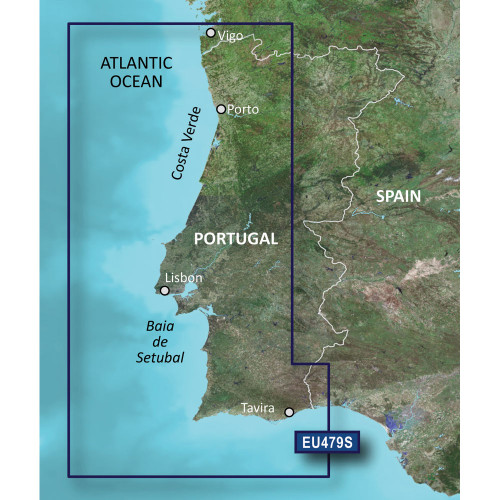
Garmin BlueChart g3 Vision HD VEU479S Electronic Chart, Portugal Coverage, Auto Guidance, 1 ft Contours, Satellite Imagery, 3D Views

Garmin BlueChart g3 Vision HD Electronic Chart, VEU484S, Ireland North-West Region, Auto Guidance, 1 ft Contours, Satellite Imagery, 3D Views

Garmin BlueChart g3 Vision HD Electronic Chart, VEU468S Södertälje to Trelleborg Coverage, Auto Guidance, 1 ft Contours, Satellite Imagery, 3D Views
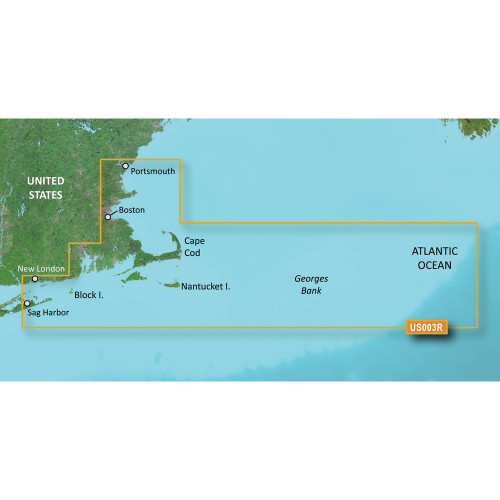
Garmin BlueChart g3 Vision HD Electronic Chart VUS003R Cape Cod, Auto Guidance, Relief Shading, Depth Range Shading, 1 ft Contours, Satellite Imagery

Garmin BlueChart g3 Vision HD Electronic Chart, VEU500S Blyth to Lowestoft, Auto Guidance, 1 ft Contours, Satellite Imagery