


Garmin BlueChart g3 Vision HD Electronic Chart, VEU500S Blyth to Lowestoft, Auto Guidance, 1 ft Contours, Satellite Imagery


-
Perfect Fit, Guaranteed
Get the right part every time
-
Expert Support
Our in-house specialists know our products inside and out
-
Enhanced Value & Service
We go beyond the sale with professional and balanced services
-
Wordwide Delivery
Enjoy hassle-free worldwide delivery
Garmin BlueChart g3 Vision HD Electronic Chart, VEU500S Blyth to Lowestoft, Auto Guidance, 1 ft Contours, Satellite Imagery
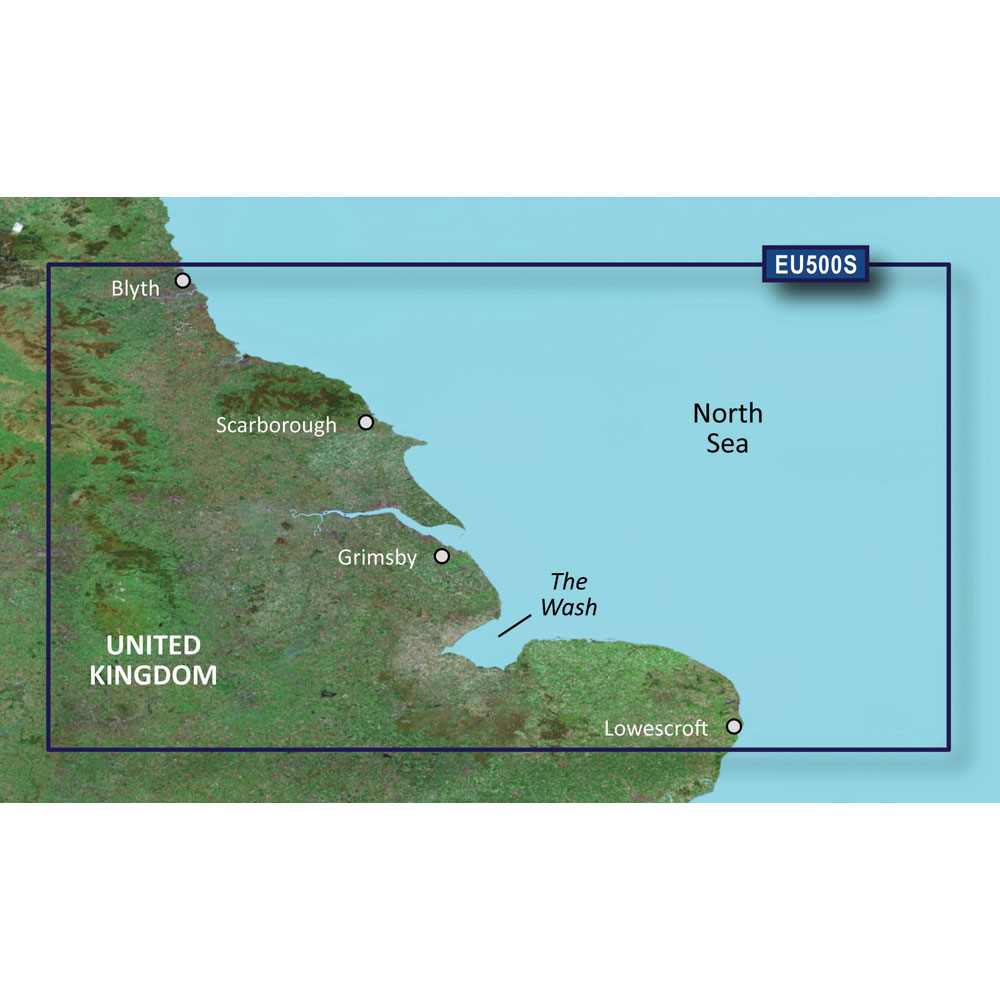
Garmin BlueChart g3 Vision HD Electronic Chart, VEU500S Blyth to Lowestoft, Auto Guidance, 1 ft Contours, Satellite Imagery
Overview
The Garmin BlueChart g3 Vision HD VEU500S is an electronic chart covering the English coast from Blyth to Lowestoft, including Newcastle, Middlesbrough, and Kingston Upon Hull, with inland coverage into the Humber River to Goole and the Trent River to Gainsborough.
It adds planning and presentation layers that help when you are working tight water, approaching harbors you do not know well, or trying to read bottom shape more clearly. The chart includes Auto Guidance, depth range shading, shallow water shading, and 1 ft contours for a more detailed view of bottom structure.
Satellite imagery can be overlaid on the cartography to give a more lifelike view of the shoreline and port approaches, which is especially helpful when lining up entrances and landmarks from the helm.
Key features
- Coverage for Blyth to Lowestoft, including Newcastle, Middlesbrough, Kingston Upon Hull, plus the Humber River to Goole and the Trent River to Gainsborough
- Auto Guidance for quick route suggestions based on user-set parameters
- Depth range shading with up to 10 selectable depth ranges to make a target depth easier to spot at a glance
- Shallow water shading that can be set to your chosen depth for clearer hazard awareness
- 1 ft contours for more detailed bottom structure depiction
- Satellite imagery overlay support for a more realistic view when approaching ports and harbors
Variants
This chart is offered in two delivery formats, depending on how you prefer to load cartography onto your Garmin system.
The SD card option is ready to use in a compatible chartplotter with a microSD or SD card slot. The download option is installed to a microSD or SD card using Garmin Express before being used in the chartplotter.
- 010-C0844-00: Format SD Card. This format is useful when you want a preloaded card you can insert and start using on the boat.
- 010-D0427-00: Format Download. This format suits installs where you prefer digital delivery and plan to load the chart onto a microSD or SD card via Garmin Express.
Compatibility and fit
This cartography is intended for compatible Garmin chartplotters. Confirm your specific model supports BlueChart g3 Vision and has a microSD or SD card slot available for chart data.
If you are using the download format, plan on dedicating a card to this chart download. Keeping the card labeled and stored with your nav spares helps avoid mix-ups when you swap regions or update chart data.
Use on board
This chart is a solid match for coastal cruising, fishing, and passage planning along the northeast English coast where you want clearer depth presentation and better visual context on approach. It is also a good fit for skippers who regularly move between open-coast legs and river runs into the Humber and Trent and want one chart region that covers both.
Installation and updates
For the SD card format, power down the chartplotter, insert the card, then power up and select the chart layer as needed. For the download format, install the chart to a microSD or SD card using Garmin Express on a computer, then insert that card into the chartplotter to use it on the water.
We ship all in-store (FL) stock orders the same day if placed before 3 PM EST, Monday through Friday. Orders placed after this time will ship the next business day. Orders fulfilled from other warehouses or manufacturers may not ship the same day. If an item is out of stock, we will notify you promptly.
Related Products


Garmin BlueChart g3 Vision HD Electronic Chart, VEU500S Blyth to Lowestoft, Auto Guidance, Depth Range Shading, Shallow Water Shading, 1 ft Contours, Satellite Imagery

Garmin BlueChart g3 Vision VCA013R Labrador Coast Electronic Chart, Auto Guidance, 1 ft Contours, Satellite Imagery

Garmin BlueChart g3 Vision VEU457S Electronic Chart, Bretagne, Auto Guidance, 1 ft Contours, Satellite Imagery, Navionics Content
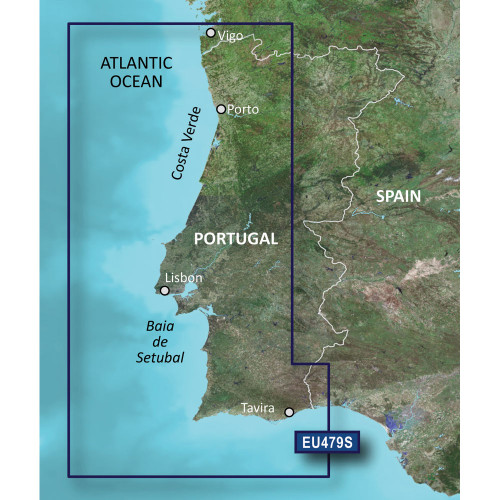
Garmin BlueChart g3 Vision HD VEU479S Electronic Chart, Portugal Coverage, Auto Guidance, 1 ft Contours, Satellite Imagery, 3D Views

Garmin BlueChart g3 Vision HD Electronic Chart, VEU468S Södertälje to Trelleborg Coverage, Auto Guidance, 1 ft Contours, Satellite Imagery, 3D Views