


Garmin BlueChart g3 Vision HD VUS009R Coastal Chart, Jacksonville to Key West FL, Auto Guidance, High-Resolution Satellite Imagery, MarinerEye and FishEye 3D Views, NOAA Raster Cartography, Relief Shading, 1 ft Contours


-
Perfect Fit, Guaranteed
Get the right part every time
-
Expert Support
Our in-house specialists know our products inside and out
-
Enhanced Value & Service
We go beyond the sale with professional and balanced services
-
Wordwide Delivery
Enjoy hassle-free worldwide delivery
Garmin BlueChart g3 Vision HD VUS009R Coastal Chart, Jacksonville to Key West FL, Auto Guidance, High-Resolution Satellite Imagery, MarinerEye and FishEye 3D Views, NOAA Raster Cartography, Relief Shading, 1 ft Contours
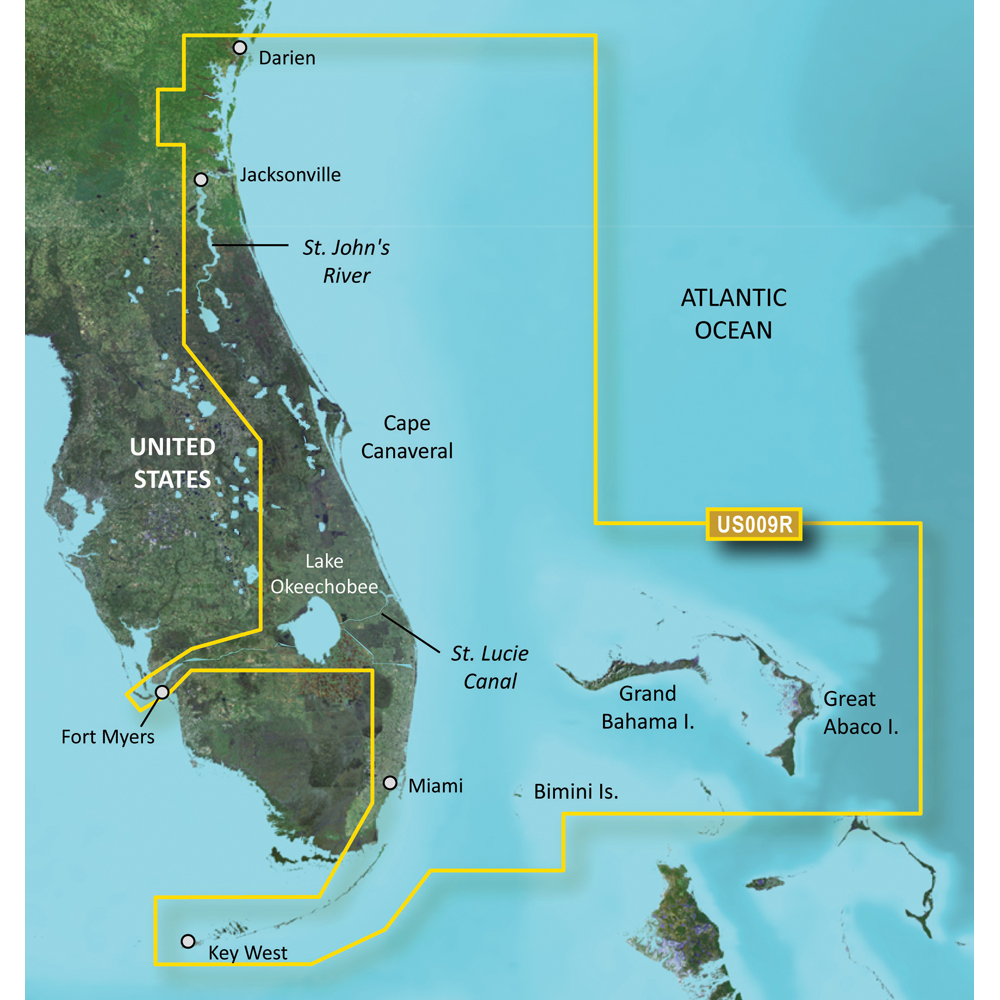
Garmin BlueChart g3 Vision HD VUS009R Coastal Chart, Jacksonville to Key West FL, Auto Guidance, High-Resolution Satellite Imagery, MarinerEye and FishEye 3D Views, NOAA Raster Cartography, Relief Shading, 1 ft Contours
Overview
The Garmin BlueChart g3 Vision HD VUS009R is a BlueChart g3 Vision chart covering the U.S. coast from Darien, GA to Key West, FL, plus detailed Bahamas areas including Bimini, the Abacos, and Grand Bahama Island.
On a compatible Garmin chartplotter, it adds route-planning and bottom detail tools you will actually use, including Auto Guidance route suggestions based on the depth and overhead clearance you enter, depth range shading with up to 10 ranges, and contours down to 1 foot for tighter bottom definition in many areas.
This region is built for real coastal runs and inshore shortcuts, with coverage that includes the St. Johns River, the St. Lucie Canal, and Lake Okeechobee, along with coastal waters over to Ft. Myers.
Key features
- Coverage for Darien, GA to Key West, FL, including the St. Johns River, the St. Lucie Canal, Lake Okeechobee, and coverage over to Ft. Myers
- Includes detailed Bahamas coverage for Bimini, the Abacos, and Grand Bahama Island
- Integrated Garmin and Navionics data for coastal navigation detail
- Auto Guidance route suggestions based on user-entered depth and overhead clearance values
- Depth range shading with up to 10 depth ranges to highlight your target band at a glance
- Up to 1-foot contours for more precise bottom depiction in supported areas
- High-resolution relief shading to make bottom structure easier to interpret than contour lines alone
- MarinerEye and FishEye 3D views, plus satellite imagery and aerial photos where available on supported plotters
Variants
Offered in two delivery formats with the same VUS009R coverage area.
The difference is how you load the chart onto your system: a preprogrammed microSD/SD card for direct use, or a download that is installed to a microSD/SD card through Garmin Express on a computer.
- 010-C0710-00: Format microSD/SD. Insert the card into the chartplotter card slot to access the chart.
- 010-D0538-00: Format Download. Install the chart to a compatible microSD/SD card using Garmin Express before putting the card in the chartplotter.
Compatibility and fit
This chart requires a compatible Garmin chartplotter or combo unit that supports BlueChart g3 Vision cartography and has a microSD/SD card slot. If your unit is set up for a different chart format, it may not read this map.
Feature layers such as 3D views, imagery, and raster options depend on the chartplotter model and software version. Auto Guidance is intended for planning and should be backed up with normal safe navigation practices on the water.
Installation and setup
For the card format, power the plotter down, insert the microSD/SD card, restart, and select the chart layer. For the download format, write the chart to a microSD/SD card with Garmin Express on a computer, then move that card to the chartplotter.
Keep the card clean and dry, and store it in a case when it is not in the plotter to protect the contacts in salty, humid environments.
Use cases on board
This chart is a good match for coastal cruisers, anglers, and delivery runs working the Georgia and Florida coast, the Intracoastal Waterway, and inshore routes that cut through rivers and canals. It also fits Bahamas crossings from South Florida when you want detailed coverage around Bimini, the Abacos, and Grand Bahama Island.
We ship all in-store (FL) stock orders the same day if placed before 3 PM EST, Monday through Friday. Orders placed after this time will ship the next business day. Orders fulfilled from other warehouses or manufacturers may not ship the same day. If an item is out of stock, we will notify you promptly.
Related Products

Garmin BlueChart g3 Vision HD Coastal Electronic Chart, VUS011R Southwest Florida, Crystal River to Key Largo, Auto Guidance, High-Resolution Shaded Relief, 1 ft Contours, Up to 10 Depth Ranges, Satellite Imagery, 3D Views, NOAA Raster Charts

Garmin BlueChart g3 Vision HD VPC020R Coastal Chart, Australia Brisbane to Geraldton, Auto Guidance, 1 ft Contours, High-Resolution Relief Shading, 3D MarinerEye and FishEye Views, High-Resolution Satellite Imagery

Garmin BlueChart g3 Vision HD VUS001R Coastal Chart, North Maine Coverage, Garmin & Navionics Data, Auto Guidance, High-Resolution Relief Shading, Satellite Imagery, NOAA Raster Cartography, 1 ft Contours
Out of stock
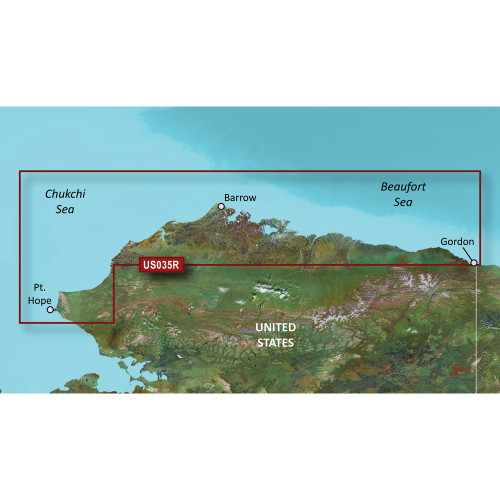
Garmin BlueChart g3 Vision HD Coastal Chart, VUS035R North Slope Alaska, Auto Guidance, High-Resolution Relief Shading, Depth Range Shading, 1 ft Contours, NOAA Raster Cartography

Garmin BlueChart g3 Vision HD Coastal Electronic Chart, VUS510L St. John to Cape Cod, Auto Guidance, 1' Contours, Relief Shading, Raster Cartography, 3D MarinerEye/FishEye Views, Aerial Photos
Out of stock