


Garmin BlueChart g3 Vision HD Electronic Chart, VUS020R St. Lawrence Seaway, Integrated Garmin/Navionics Data, Auto Guidance, High-Resolution Relief Shading, Up to 1-ft Contours


-
Perfect Fit, Guaranteed
Get the right part every time
-
Expert Support
Our in-house specialists know our products inside and out
-
Enhanced Value & Service
We go beyond the sale with professional and balanced services
-
Wordwide Delivery
Enjoy hassle-free worldwide delivery
Garmin BlueChart g3 Vision HD Electronic Chart, VUS020R St. Lawrence Seaway, Integrated Garmin/Navionics Data, Auto Guidance, High-Resolution Relief Shading, Up to 1-ft Contours

Garmin BlueChart g3 Vision HD Electronic Chart, VUS020R St. Lawrence Seaway, Integrated Garmin/Navionics Data, Auto Guidance, High-Resolution Relief Shading, Up to 1-ft Contours
Overview
The Garmin BlueChart g3 Vision HD - VUS020R is an electronic chart region for the St. Lawrence Seaway, covering the St. Lawrence River from Brockville, Ont. to Sept-Iles, Que., with additional detail for Montreal and Quebec, plus Lake Champlain, Lac Saint-Jean, the Rideau River, the Ottawa River to Temiscaming, the Riviere Saguenay from Chicoutimi to the St. Lawrence River, and the Hudson River to Troy, NY.
It adds chartplotter features that help you read the bottom and plan routes, including depth range shading with up to 10 depth ranges, shallow water shading at a user-set depth, high-resolution relief shading in supported areas, and up to 1-foot contours where available.
This chart is offered as either a preprogrammed microSD/SD card or a download that you load to an SD card. Both formats are meant for compatible Garmin chartplotters with a microSD/SD card slot.
Key features
- VUS020R coverage for the St. Lawrence Seaway region, including Montreal and Quebec, plus Lake Champlain and the Hudson River up to Troy, NY
- Available in two formats: preprogrammed microSD/SD card or download loaded to an SD card
- Integrated Garmin and Navionics data for chart detail and a consistent presentation on compatible Garmin chartplotters
- Auto Guidance route suggestions use your selected depth and overhead clearance for trip planning on supported units
- Depth range shading with up to 10 depth ranges to highlight the depths you care about
- Shallow water shading lets you mark a depth threshold you want to avoid
- High-resolution relief shading in supported areas, plus up to 1-foot contours where available
- High-resolution satellite imagery, aerial photos, and 3D MarinerEye and FishEye views on supported chartplotters
Variants
This chart region is offered in more than one delivery format. The mapping area stays the same, but the way you receive and load the chart changes.
If you want a card you can insert and go, choose the microSD/SD version. If you prefer to install the chart yourself, the download version loads to an SD card using Garmin Express.
- 010-C0721-00: Format microSD/SD. Preprogrammed card media that you insert into the chartplotter card slot to access the chart region.
- 010-D0480-00: Format Download. Installed to an SD card using Garmin Express for use in a registered compatible chartplotter.
Compatibility and fit
You will need a compatible Garmin chartplotter that supports BlueChart g3 Vision mapping and has a microSD/SD card slot. If your plotter has built-in mapping only, it still needs a card slot to read this chart.
For the download format, plan on dedicating a microSD or SD card to this chart. Garmin Express installs one chart to a card, so keeping each region on its own card avoids mix-ups at the helm.
Installation and setup
For the microSD/SD version, power up the chartplotter and insert the card into the chart slot. The chart becomes available in the chart selection menus while the card is inserted.
For the download version, use Garmin Express on a computer to install the chart to an SD card, then insert that card into the chartplotter. Keep the card in place while navigating so the plotter can draw the chart layers and overlays.
Use on board
This chart is a strong fit for cruisers, anglers, and delivery crews running the Seaway and connected waters, especially when you want depth shading tools for picking safer routes and reading channels around unfamiliar harbors.
Use Auto Guidance as a planning aid and always review the suggested path against local conditions, notices, and what you see on the water.
Care and handling
Store the card where it stays dry and clean, and avoid handling the contacts with wet hands. Keeping your chartplotter software up to date also helps the chart layers and features display as expected.
We ship all in-store (FL) stock orders the same day if placed before 3 PM EST, Monday through Friday. Orders placed after this time will ship the next business day. Orders fulfilled from other warehouses or manufacturers may not ship the same day. If an item is out of stock, we will notify you promptly.
Related Products

Garmin BlueChart g3 Vision HD Electronic Chart, VUS034R Aleutian Islands Coverage, Integrated Garmin and Navionics Data, Auto Guidance, High-Resolution Relief Shading, 1 ft Contours, High-Resolution Satellite Imagery, 3D Views

Garmin VEU722L Europe Atlantic Coast BlueChart g3 Vision Chart, Integrated Garmin/Navionics Data, Auto Guidance, 1 ft Contours

Garmin BlueChart g3 Vision HD VUS517L Coastal Chart, Alaska South, Garmin and Navionics Data, Auto Guidance, High-Resolution Relief Shading, Up to 1' Contours, 3D Views, Satellite Imagery
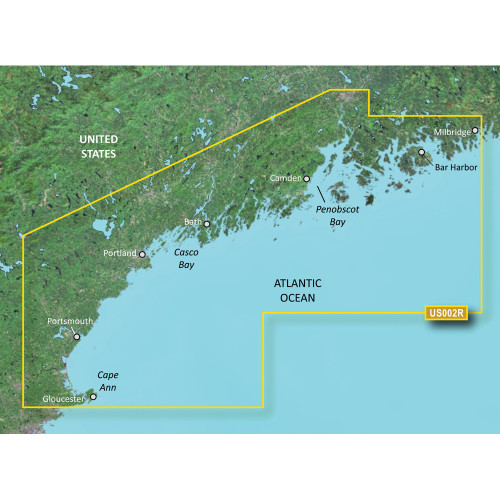
Garmin BlueChart g3 Vision HD VUS002R Coastal Chart, South Maine, Auto Guidance, 1 ft Contours, High-Resolution Relief Shading

Garmin BlueChart g3 Vision VUS515L Coastal Chart, Brownsville TX to Key Largo FL, Navionics Data, Auto Guidance, High-Resolution Relief Shading, 1 ft Contours