


Garmin eLog Compliant Electronic Logging Device, FMCSA-Registered, 9-Pin J1939/6-Pin J1708, Bluetooth


-
Perfect Fit, Guaranteed
Get the right part every time
-
Expert Support
Our in-house specialists know our products inside and out
-
Enhanced Value & Service
We go beyond the sale with professional and balanced services
-
Wordwide Delivery
Enjoy hassle-free worldwide delivery
Garmin eLog Compliant Electronic Logging Device, FMCSA-Registered, 9-Pin J1939/6-Pin J1708, Bluetooth

Garmin eLog Compliant Electronic Logging Device, FMCSA-Registered, 9-Pin J1939/6-Pin J1708, Bluetooth
Overview
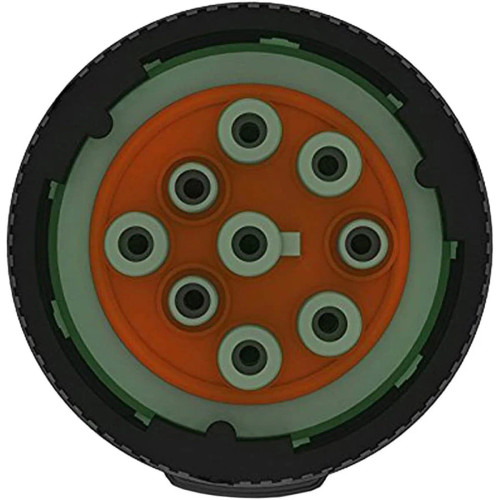
The Garmin 010-01876-00 is a compliant electronic logging device (ELD) adapter that connects to a commercial vehicle diagnostic port and pairs over 2.4 GHz Bluetooth with the Garmin eLog app to record Hours of Service.
It plugs directly into a 9-pin J1939 port, and it can also be used on a 6-pin J1708 port with the included adapter cable. The unit includes a USB port for transferring inspection reports or backups to a USB mass storage device, and it accepts 8-40 V DC input through the diagnostic connection.
Although Garmin is widely used on boats, this product is for over-the-road vehicles and does not interface with NMEA 2000 or other marine networks.
Key features
- Connects to 9-pin J1939 diagnostic ports; supports 6-pin J1708 ports using the included adapter cable
- Pairs by Bluetooth with the Garmin eLog app for log creation, review, and duty status changes
- USB port on the adapter for roadside inspection transfers and data backups to USB mass storage (FAT32)
- Input power range of 8-40 V DC (up to 1 A) supplied through the vehicle diagnostic port
- Operating temperature range of -20 to 55 C (-4 to 131 F) for cab environments
- Light ring status cues for power, Bluetooth connection, pairing mode, USB readiness, and error indication
What's included
- Garmin eLog adapter
- J1708 adapter cable (9-pin to 6-pin)
Installation and setup
Turn the vehicle off before connecting. For a J1939 truck, align the lock ring with the port channel, seat the adapter in the 9-pin diagnostic port, then turn the lock ring clockwise until it locks.
For a J1708 truck, lock the eLog adapter to the 9-pin side of the included adapter cable first, then connect the 6-pin end to the vehicle port and lock that ring into place.
After the plug-in connection is secured, complete pairing and setup in the Garmin eLog app, including administrator and driver profiles. Keep Bluetooth and location services enabled on the mobile device while logging so records capture required data elements.
Data transfer and inspections
Inspection reports can be transferred to a USB drive through the adapter's USB port. Bluetooth transfers are also supported through FMCSA web services when the inspector device supports the Bluetooth PAN profile and has network access.
Backing up data to USB is also useful before changing phones or reinstalling the app, since removing the app from the mobile device can erase retained ELD data.
Care and handling
Keep the rubber cap closed when the USB port is not in use and clean the housing with a soft, dry cloth. Avoid harsh cleaners and conditions that create strong shock at the diagnostic connector.
Who this is for
This is a good match for fleets and owner-operators running vehicles with J1939 or J1708 diagnostic ports who want an ELD setup that uses a phone or tablet as the interface. If you are outfitting a boat, this is not a marine network or 12V accessory plug and will not integrate with typical onboard systems.
We ship all in-store (FL) stock orders the same day if placed before 3 PM EST, Monday through Friday. Orders placed after this time will ship the next business day. Orders fulfilled from other warehouses or manufacturers may not ship the same day. If an item is out of stock, we will notify you promptly.
Related Products

Garmin Transducer Adapter Cable, 6-Pin Female to 8-Pin Male
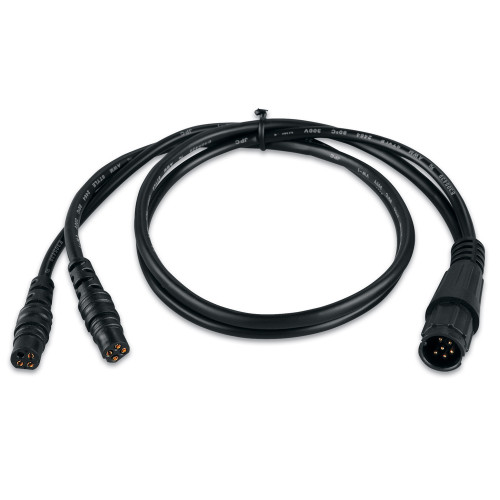
Garmin echo Transducer Adapter Cable, 4-Pin Female to 6-Pin Male
Out of stock

Garmin 6-Pin to 8-Pin Transducer Adapter Box, Wire Block, IPX7, 24 in Cable
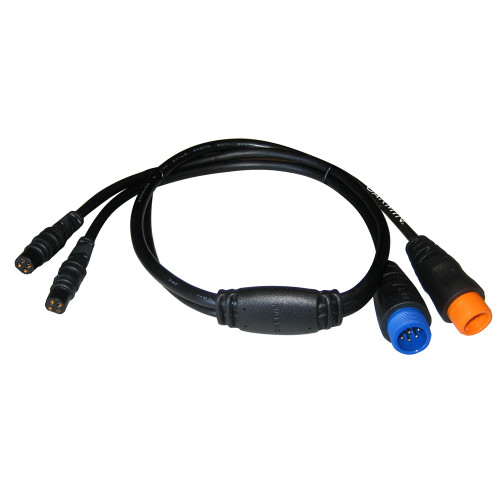
Garmin Transducer Adapter Cable, 12-Pin and 8-Pin to Dual 4-Pin
Out of stock

Garmin Transducer Y-Cable, 12-Pin to Dual 4-Pin