


Garmin BlueChart g3 HD Coastal Chart, HXUS604X, US All & Canadian West, Garmin and Navionics Data, Auto Guidance, 1 ft Contours


-
Perfect Fit, Guaranteed
Get the right part every time
-
Expert Support
Our in-house specialists know our products inside and out
-
Enhanced Value & Service
We go beyond the sale with professional and balanced services
-
Wordwide Delivery
Enjoy hassle-free worldwide delivery
Garmin BlueChart g3 HD Coastal Chart, HXUS604X, US All & Canadian West, Garmin and Navionics Data, Auto Guidance, 1 ft Contours

Garmin BlueChart g3 HD Coastal Chart, HXUS604X, US All & Canadian West, Garmin and Navionics Data, Auto Guidance, 1 ft Contours
Overview
The Garmin BlueChart g3 HD HXUS604x is a coastal chart title that adds detailed marine cartography to compatible Garmin chartplotters for U.S. waters, Western Canada, and surrounding regions. It includes up to 1 ft contours in supported areas and Depth Range Shading for up to 10 depth ranges, which helps you read bottom structure and target depths without constantly zooming in and out.
Coverage spans the U.S. East Coast from Key West to the Canadian border, the West Coast from the Mexican border to Puget Sound, Alaska, Hawaii, major inland rivers, the U.S. Gulf Coast to the Mexican border, and the Mexican Gulf Coast through to the Yucatan. It also includes the St. Lawrence Seaway, Nova Scotia, New Brunswick, and full Great Lakes coverage including Lake of the Woods, plus areas such as Prince Edward Island, Anticosti Island, Vancouver Island (Inside and Outside Passages), the Aleutian and Channel Islands, the Bahamas, Turks and Caicos, Cozumel, Cuba, Hispaniola, Puerto Rico, and the U.S. Virgin Islands.
On board, this chart is a good match for boats that travel between coasts, cruise the Great Lakes and connected waterways, or want one title that still covers common Bahamas and Caribbean routing. Auto Guidance can suggest a route based on your safe depth and overhead clearance settings, but it should be treated as a planning aid and checked against real-world conditions and local navigation practices.
Key features
- Broad coverage for U.S. coastal waters plus Western Canada, Alaska, Hawaii, the Great Lakes, and select Bahamas, Caribbean, and Mexico regions under one HXUS604x title.
- Integrated Garmin and Navionics data layers, with common navigational content such as aids to navigation, spot soundings, tides, and currents.
- Auto Guidance route suggestions based on your depth and overhead clearance preferences for trip planning.
- Depth Range Shading for up to 10 depth bands so you can highlight target depths at a glance.
- Up to 1 ft contours (where available) for clearer bottom detail when fishing structure and when running tight channels, canals, and marinas.
- Shallow Water Shading support to visually mark a user-defined shallow-water threshold.
- NOAA raster cartography available as a free downloadable layer through the ActiveCaptain app, with viewing support depending on your chartplotter model.
Variants
This chart region is offered in two delivery formats so you can match how your boat is set up today.
Both formats cover the same HXUS604x area. The difference is how you get the chart onto the memory card that goes in your plotter.
- 010-C1018-20: microSD/SD format. A preloaded card that you insert into a compatible Garmin chartplotter and select from the chart menu.
- 010-D0559-00: download format. Installed onto a microSD or SD card before use; download-based charts require a compatible chartplotter to be registered to the account used for the download.
Compatibility and fit
This is a chart card and software product, so fit is about your electronics, not a mounting footprint. Confirm your display supports BlueChart g3 and that you have an available microSD or SD slot. Some chartplotters have two slots, while others have one, so it is worth thinking through where you want the card to live if you also use sonar recording, waypoint backups, or software update cards.
Units that are pre-programmed with GN+ charting do not support BlueChart g3 and g3 Vision chart products. If your boat has multiple Garmin displays networked together, keep in mind that chart data is read from the card rather than being copied into internal memory, so the card typically stays inserted while you want to view this chart set.
Installation and setup
For the microSD/SD card version, insert the card into the chartplotter, power up, then choose the HXUS604x map layer from the chart selection options. For the download version, load the chart to a memory card using Garmin software on a computer, then insert that card into the chartplotter and select the chart set on screen.
If you plan to use NOAA raster cartography, pair your chartplotter with the ActiveCaptain app and download the raster layer to your device. Depending on the model, the raster layer may be viewed on the chartplotter or through the mobile app workflow.
Use notes on board
Depth Range Shading and shallow-water highlighting are most useful when you set them up to match how you run your boat, especially when you are slipping into unfamiliar harbors, working a reef edge, or threading a marked channel in poor visibility. Auto Guidance can be a helpful starting point for a route, but it should be verified against local notices, buoy movements, tide state, and what you see outside.
We ship all in-store (FL) stock orders the same day if placed before 3 PM EST, Monday through Friday. Orders placed after this time will ship the next business day. Orders fulfilled from other warehouses or manufacturers may not ship the same day. If an item is out of stock, we will notify you promptly.
Related Products

Garmin VEU722L Europe Atlantic Coast BlueChart g3 Vision Chart, Integrated Garmin/Navionics Data, Auto Guidance, 1 ft Contours
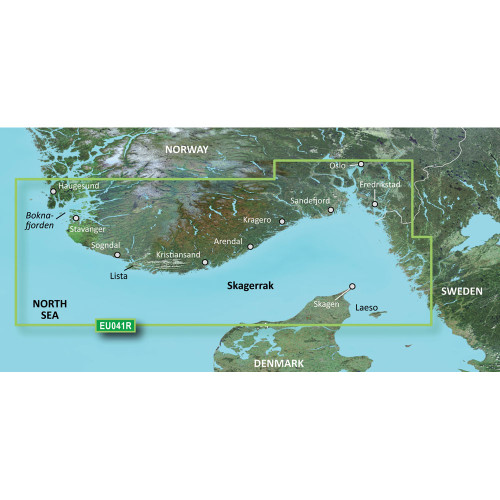
Garmin BlueChart Coastal and Inland Chart, Oslo-Skagerrak-Haugesund, Garmin and Navionics Data, Auto Guidance

Garmin BlueChart g3 Coastal Chart, Australia Geraldton to Darwin, Integrated Navionics Data, Auto Guidance

Garmin BlueChart g3 Vision Coastal Chart, VUS033R Bristol Bay to Kotzebue Sound Coverage, Garmin/Navionics Data, Auto Guidance, Up to 1 ft Contours

Garmin BlueChart Coastal Chart, Mackay to Twofold Bay, Auto Guidance, Navionics Data