


Lopolight MFD Control Hub, 10-32V DC, 16-Channel, 10A Total


-
Perfect Fit, Guaranteed
Get the right part every time
-
Expert Support
Our in-house specialists know our products inside and out
-
Enhanced Value & Service
We go beyond the sale with professional and balanced services
-
Wordwide Delivery
Enjoy hassle-free worldwide delivery
Lopolight MFD Control Hub, 10-32V DC, 16-Channel, 10A Total

Lopolight MFD Control Hub, 10-32V DC, 16-Channel, 10A Total
Overview
The Lopolight 500-001 is a 10A control hub that lets you switch and monitor onboard lights and other DC circuits from a compatible multifunction display over Ethernet.
It runs on 10 to 32V DC for 12V and 24V systems and provides 16 output channels with current monitoring. Each channel supports up to 2A, with 10A total across the unit. The housing is about 150 x 150 x 40 mm, which makes it easy to mount behind the helm, inside a console, or in an electrical locker as long as it stays dry and reachable.
Alongside control from the screen, the unit has emergency manual override and four input channels for wired switches, so you still have a direct way to bring on key circuits when you want local control.
Key features
- 10 to 32V DC input for 12V and 24V electrical systems
- 16 output channels with current monitoring to help spot a failed load or an open circuit
- Up to 2A per channel, with 10A total capacity across the hub
- PWM dimming available on supported channels for loads that need adjustable output
- Four hardware input channels for linking physical switches to group control
- RJ45 Ethernet connection using TCP/IP for integration with compatible touch MFDs
- Alarm buzzer output for an external audible alarm located where you can hear it
- Manual override on the unit for basic emergency operation
Compatibility and fit
The hub connects through a standard RJ45 Ethernet port and communicates over TCP/IP. Use CAT5 or higher Ethernet cabling, or the appropriate Raymarine and Garmin marine network cables when tying into those systems.
It integrates with compatible touch MFDs, including Raymarine Axiom and Garmin GPSMAP series units with current software. The control screen appears as an onboard app on the display.
Installation and wiring notes
Mount the hub in a dry, ventilated location and keep it accessible so the manual override can be used if needed. Leave distance from a magnetic compass if you notice interference, with about 1 m (3 ft) as a practical starting point.
Protect the main DC feed with a 10A fuse and size the supply wiring for the total expected load. Each output channel is intended for loads up to 2A. For any circuit that needs more than 2A, use the hub to switch an external relay so the higher current stays out of the channel output.
Using strand-protection ferrules on the terminal connections helps keep wiring secure in a vibrating marine environment.
Use cases on board
This setup works well when you want navigation lights, deck and docking lights, wipers, fans, or bilge-related alarms controlled from the same screen you already use underway. Current monitoring and the alarm output add a layer of awareness when a circuit draws less power than expected.
What’s included
- Control hub hardware
- Quick guide
- Wiring schematic diagram
- Connection layout sticker for labeling channel assignments
We ship all in-store (FL) stock orders the same day if placed before 3 PM EST, Monday through Friday. Orders placed after this time will ship the next business day. Orders fulfilled from other warehouses or manufacturers may not ship the same day. If an item is out of stock, we will notify you promptly.
Related Products

Lopolight Starboard Sidelight, 3 NM, 112.5°, Vertical Mount, 10-32V DC, IP68, COLREG72, USCG

Lopolight Series 301-002 LED Port Sidelight, 2 NM, Vertical Mount, 10-32V DC, IP68
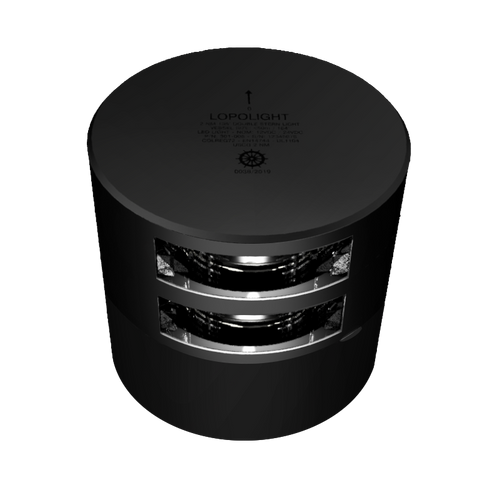
Lopolight Stern Light, LED, 2NM, 10-32V, IP68, Horizontal Mount


Lopolight Combined Sidelight, 1NM, FB Base, 10-32V, IP68, Horizontal Mount


Lopolight 301-107 Towing Light, 3nm, Vertical Mount, IP68, 10-32V