


Garmin BlueChart Marine Chart, Gulfs of Finland and Riga


-
Perfect Fit, Guaranteed
Get the right part every time
-
Expert Support
Our in-house specialists know our products inside and out
-
Enhanced Value & Service
We go beyond the sale with professional and balanced services
-
Wordwide Delivery
Enjoy hassle-free worldwide delivery
Garmin BlueChart Marine Chart, Gulfs of Finland and Riga

Garmin BlueChart Marine Chart, Gulfs of Finland and Riga
Overview
The Garmin BlueChart g3 HD - HXEU050R is an electronic coastal chart for compatible Garmin chartplotters covering the Gulfs of Finland and Riga, including detailed areas from Åland to Vyborg and major ports such as Turku, Helsinki, Kotka, Tallinn, and Kohtla-Järve.
Chart detail comes from combined Garmin and Navionics data, with features like Auto Guidance route suggestions that use your set depth and overhead clearance when your plotter supports it. Depth Range Shading uses up to 10 shading levels to help you highlight specific depth bands, and 1 foot contours can be available in supported areas for a clearer picture of bottom shape.
This region is a solid fit for coastal cruising, fishing runs, and port-to-port navigation in the Baltic, especially when you want better confidence in approaches and the day-to-day decisions that happen around shoals, channels, and busy harbors.
Key features
- Covers the Gulfs of Finland and Riga (HXEU050R region), including Åland to Vyborg and ports like Turku, Helsinki, Kotka, Tallinn, and Kohtla-Järve
- Chart data blends Garmin and Navionics content for coastal navigation detail
- Auto Guidance route suggestions can factor in your chosen depth and overhead clearance on supported chartplotters
- Depth Range Shading with up to 10 levels for quick target-depth visualization
- 1 foot depth contours may be available in supported areas for more readable bottom structure
- Available as a preprogrammed microSD/SD card or as a download that installs to a microSD/SD card
- NOAA raster cartography can be downloaded through the ActiveCaptain app on compatible setups where available
Variants
This chart region is offered in two chart versions (BlueChart g3 and BlueChart g3 Vision) and in two delivery formats (preprogrammed card or download).
The main differences are the chart version and how you load it onto your boat. The SD Card options are ready to use from the card slot, while the Download options are installed to a microSD/SD card using Garmin Express and are tied to the chartplotter selected during installation.
- 010-C0786-20: BlueChart g3, SD Card. This is the preprogrammed card option for chartplotters that read maps directly from a microSD/SD slot.
- 010-D0299-00: BlueChart g3, Download. This version is installed to a microSD/SD card with Garmin Express before you insert the card in your chartplotter.
- 010-C0786-00: BlueChart g3 Vision, SD Card. This is the Vision chart option for units that support BlueChart g3 Vision content from a microSD/SD slot.
- 010-D0456-00: BlueChart g3 Vision, Download. This version is installed to a microSD/SD card with Garmin Express and works with the chartplotter it was unlocked to.
Compatibility and fit
You will need a compatible Garmin chartplotter that supports BlueChart g3 for the standard g3 options, and support for BlueChart g3 Vision for the Vision options. If your setup includes multiple Garmin displays connected on a Garmin marine network, a single mapping card in the host display can share chart detail to other networked displays.
For card-based variants, plan to keep the chart card in the unit while navigating. For download variants, you will need a microSD/SD card for the installation, and it helps to dedicate one card to one chart region so it stays simple when swapping regions on the water.
Installation and setup
SD Card versions are straightforward: insert the microSD/SD chart card into the chartplotter and power up, then select the chart layer in the map settings if needed. Download versions are loaded with Garmin Express to a microSD/SD card and then used in the chartplotter like a chart card.
If you update chartplotter software from an SD card, use a separate card for that job rather than the chart card. Keeping the chart card reserved for mapping reduces the chance of overwriting files or running out of space when you are handling updates or transferring data.
Using it on board
Auto Guidance is a planning tool, so treat it like a starting point and still cross-check against local knowledge, conditions, and what you are seeing on the water. Depth Range Shading can be especially helpful in this region for quickly spotting target depths when you are working around shoals, marked channels, and harbor entrances.
We ship all in-store (FL) stock orders the same day if placed before 3 PM EST, Monday through Friday. Orders placed after this time will ship the next business day. Orders fulfilled from other warehouses or manufacturers may not ship the same day. If an item is out of stock, we will notify you promptly.
Related Products


Garmin Navionics Marine Chart, Gulf of Finland & Riga, Auto Guidance+, Daily Updates

Garmin BlueChart g3 Electronic Chart, Finland Lakes and Rivers
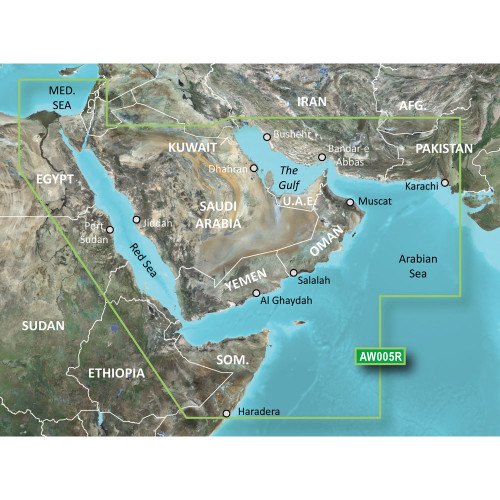
Garmin BlueChart Coastal Chart, Gulf & Red Sea Coverage

Garmin BlueChart Coastal Chart, Southern Gulf of Mexico, Navionics Data

Garmin BlueChart g3 Coastal Chart, Gulf of Bothnia, Kalix-Grisslehamn