


Victron Energy RJ12 UTP Cable, For BMV Shunt to BMV Head Unit


-
Perfect Fit, Guaranteed
Get the right part every time
-
Expert Support
Our in-house specialists know our products inside and out
-
Enhanced Value & Service
We go beyond the sale with professional and balanced services
-
Wordwide Delivery
Enjoy hassle-free worldwide delivery
Victron Energy RJ12 UTP Cable, For BMV Shunt to BMV Head Unit

Victron Energy RJ12 UTP Cable, For BMV Shunt to BMV Head Unit
Overview
The Victron Energy RJ12 UTP Cable is a communication cable for linking a Victron BMV battery monitor shunt to the BMV head unit. It is used when the supplied RJ12 cable is not the right length for the layout of the battery compartment, electrical panel, or helm display location.
This cable range covers runs from 0.3 m up to 30 m, so it can suit compact battery-box installations as well as longer routes through lockers, conduits, and behind panels. The RJ12 connection keeps the shunt and display connected for battery monitoring without changing the core BMV setup.
Key features
- RJ12 UTP cable for connecting a Victron BMV shunt to the BMV head unit.
- Useful as a replacement when the standard BMV monitor cable is too short or too long for the installation.
- Available in lengths from 0.3 m to 30 m for short panel runs, mid-length routing, and longer cable paths on board.
- Helps keep the battery monitor display placed where it is easy to read while the shunt stays close to the battery bank.
- Simple plug-in RJ12 connection with no separate configuration required for the cable itself.
Variants
The range varies by cable length, with options from 0.3 m, 0.9 m, 1.8 m, 3 m, 5 m, 10 m, 15 m, and 30 m. The right length depends on the distance between the BMV shunt and the display location, including the practical routing path rather than only the straight-line distance.
The product type and connection purpose remain the same across the range: each option is an RJ12 UTP cable for the Victron BMV shunt-to-head-unit connection. Shorter lengths help avoid excess cable in tight battery spaces, while longer lengths suit installations where the display is mounted at the nav station, helm, or main electrical panel.
Installation and setup
One end plugs into the RJ12 socket on the shunt, and the other end plugs into the RJ12 socket on the rear of the BMV head unit. Route the cable so it is supported, protected from sharp edges, and kept clear of hot engine-room surfaces or areas where gear may crush or pull on the connector.
For a clean marine installation, allow a little service loop at each end so the shunt cover, battery connections, or display panel can be accessed later without putting strain on the RJ12 plugs. Avoid unnecessary joins or adapters in the run, especially in lockers or battery spaces where vibration and moisture can make poor connections harder to diagnose.
Compatibility and fit
This cable is for Victron BMV battery monitor installations that use an RJ12 link between the shunt and the display head. Before ordering, confirm that the equipment on board uses the RJ12 BMV shunt-to-head-unit connection and select the cable length that follows the actual route through the boat.
It is a good match for boat owners, installers, and refit projects where the monitor display needs to be moved closer to the helm, nav desk, or DC distribution panel while the shunt stays near the service battery bank.
We ship all in-store (FL) stock orders the same day if placed before 3 PM EST, Monday through Friday. Orders placed after this time will ship the next business day. Orders fulfilled from other warehouses or manufacturers may not ship the same day. If an item is out of stock, we will notify you promptly.
Related Products

Victron Energy RJ12 UTP Cable, 0.3 m, For BMV Shunt to Head Unit

Victron Energy Replacement PCB for 500A Shunt, For BMV 702/712 Monitors


Victron Energy BMV-700H Battery Monitor, 60-385VDC, 500A/50mV Shunt
Out of stock
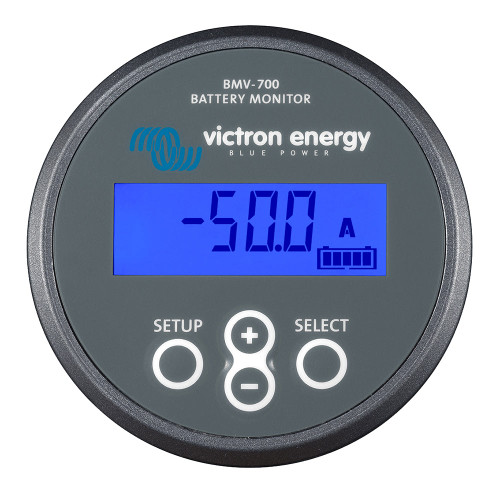

Victron Energy BMV-700 Battery Monitor, 6.5-95V, 500A Shunt, VE.Direct


Victron Energy BMV-712 Smart Battery Monitor, Bluetooth, 500A/50mV Shunt, VE.Direct