


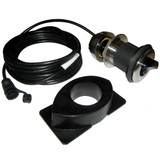
Simrad MI10 Dual microSD Chart Card Reader, For Simrad NSO evo2 and B&G Zeus 2 Glass Helm CPUs, Waterproof, Dash Mount, 1.35 m USB Cable


-
Perfect Fit, Guaranteed
Get the right part every time
-
Expert Support
Our in-house specialists know our products inside and out
-
Enhanced Value & Service
We go beyond the sale with professional and balanced services
-
Wordwide Delivery
Enjoy hassle-free worldwide delivery
Simrad MI10 Dual microSD Chart Card Reader, For Simrad NSO evo2 and B&G Zeus 2 Glass Helm CPUs, Waterproof, Dash Mount, 1.35 m USB Cable

Simrad MI10 Dual microSD Chart Card Reader, For Simrad NSO evo2 and B&G Zeus 2 Glass Helm CPUs, Waterproof, Dash Mount, 1.35 m USB Cable
Overview
The Simrad 000-13892-001 is a dash-mount dual microSD card reader that puts chart cards and data storage at the helm for compatible black box processors.
It gives you two microSD slots in a waterproof housing, so you can keep two chart cards available at the same time or use a second card for sonar logging, software updates, and backups. The face measures 58.6 mm x 58.6 mm with a 73 mm mounting depth, and it connects back to the processor over an integrated USB lead.
On installs where the processor lives behind a bulkhead or inside a cabinet, this keeps routine card swaps quick without opening up the electronics space.
Key features
- Dual microSD slots for running two chart cards or separating charts from logging and update files
- Compatible with Simrad NSO evo2 marine processors and B&G Zeus2 Glass Helm CPUs
- Waterproof, dash-mount reader that can be placed within reach of the helm
- Integrated 1.35 m (4.5 ft) USB cable with a waterproof connector for the processor end
- Physical size: 58.6 mm x 58.6 mm face with 73 mm depth to help plan console clearance
- Mounting method uses a single hole-saw cut and four screws
Compatibility and fit
This reader is meant for systems that use an external processor rather than relying on an SD slot on the display itself. Confirm you have a Simrad NSO evo2 processor or a B&G Zeus2 Glass Helm CPU and an available USB connection at the processor.
Leave room behind the mounting surface for the body and for the USB lead to route without sharp bends, especially through tight console cavities.
Installation and setup
Pick a location that is easy to reach underway and protected from direct foot traffic. Cut the console opening with a hole saw, secure the unit with four screws, then route the integrated USB cable back to the processor and tighten the waterproof connector. After power-up, insert microSD cards until they seat and verify both cards show up in the system menus.
Use on board
Two slots are useful when you keep different chart regions on separate cards, or when you want to leave charts in place and dedicate the second card to sonar logs, backups, or loading software updates. This fits boats where the processor is tucked away but you still want quick access from the console.
Maintenance and care
Keep the slot area clean and dry before inserting cards, and avoid directing high-pressure washdown spray straight into the openings. If salt builds up around the face, rinse gently and let it dry before swapping cards.
We ship all in-store (FL) stock orders the same day if placed before 3 PM EST, Monday through Friday. Orders placed after this time will ship the next business day. Orders fulfilled from other warehouses or manufacturers may not ship the same day. If an item is out of stock, we will notify you promptly.
Related Products

NavPod - PowerPod Pre-Cut - For Simrad NSO evo2 16, NSO evo3 16, NSO evo3S 16, MO16-P, MO16-T, Zeus, Glass Helm 16
Out of stock

Simrad RJ45-Yellow Round Ethernet Adapter Cable, For NSO evo2 and Zeus2

Simrad Gimbal Mounting Bracket, For NSS7 evo2, Zeus 2 7
Out of stock

NavPod - PP4406 PowerPod Pre-Cut - For Simrad NSS7 evo2 or B&G Zeus 7
Out of stock

Simrad ForwardScan Transducer Kit, Sleeve & Plug, For NSS evo2/NSO evo2