


Garmin BlueChart g3 Vision HD VCA004R Chart, Bay of Fundy, 1 ft Contours, Auto Guidance, Depth Range Shading, High-Resolution Satellite Imagery, Shallow Water Shading


-
Perfect Fit, Guaranteed
Get the right part every time
-
Expert Support
Our in-house specialists know our products inside and out
-
Enhanced Value & Service
We go beyond the sale with professional and balanced services
-
Wordwide Delivery
Enjoy hassle-free worldwide delivery
Garmin BlueChart g3 Vision HD VCA004R Chart, Bay of Fundy, 1 ft Contours, Auto Guidance, Depth Range Shading, High-Resolution Satellite Imagery, Shallow Water Shading

Garmin BlueChart g3 Vision HD VCA004R Chart, Bay of Fundy, 1 ft Contours, Auto Guidance, Depth Range Shading, High-Resolution Satellite Imagery, Shallow Water Shading
Overview
The Garmin BlueChart g3 Vision HD VCA004R is an electronic chart for the Bay of Fundy region with up to 1-foot contours plus Depth Range Shading (up to 10 depth ranges) and Shallow Water Shading. Coverage includes the coasts of Maine and New Brunswick from Machias Bay, ME to Saint John, NB, with additional detail for western Nova Scotia from Digby to Cape Lahave Island and from Heckmans Island to Halifax.
This chart combines coastal cartography with satellite imagery overlays and Auto Guidance routing that uses your preferred depth and overhead clearance to calculate a suggested path. It is offered as either a preloaded microSD/SD card or a download, so you can match it to how you manage charts onboard.
Key features
- Bay of Fundy coverage with detailed sections from Machias Bay, ME to Saint John, NB, plus western Nova Scotia detail from Digby to Cape Lahave Island and from Heckmans Island to Halifax
- Up to 1-foot contours to show bottom structure with tighter detail for navigation and fishing work
- Depth Range Shading for up to 10 depth ranges to highlight the depths you care about at a glance
- Shallow Water Shading with a user-defined depth setting to make shoal areas stand out on screen
- Satellite imagery overlay for a more realistic view when running along shorelines, into harbors, and through tight approaches
- Auto Guidance routing that factors in your selected depth and overhead clearance to generate a suggested route on compatible Garmin chartplotters
Variants
This chart is offered in multiple formats so you can purchase it as physical media or install it digitally.
What changes between variants is the delivery method and how you load the chart into your system. The chart area and feature set are the same.
- 010-C0690-00: Format microSD/SD. This is a preprogrammed card that you insert into a compatible chartplotter’s card slot to start using the chart.
- 010-D0384-00: Format Download. This version is installed using Garmin Express, typically onto an SD card for use in the chartplotter.
Compatibility and fit
This is cartography for compatible Garmin chartplotters and combo units that support BlueChart g3 Vision and accept microSD/SD media. Feature availability can vary by chartplotter model, so it is worth checking that your unit supports the Vision feature set and the media type you plan to use.
Installation and setup
For the card format, insert the microSD/SD card into the unit’s chart card slot and select the chart from your map options. For the download format, load the chart through Garmin Express on a computer, then move the programmed SD card to the chartplotter.
Keeping a second card or a backup plan is common on cruising boats, especially if the chartplotter is shared between helm stations or you swap cards between vessels.
Use on board
This chart is a good match for skippers and anglers running the Bay of Fundy coastline, where tight contour information and shading tools help when you are working around shoals, ledges, and large tide swings. Auto Guidance is useful for planning, but routes should always be checked against local conditions, notices, and what you see on the water.
We ship all in-store (FL) stock orders the same day if placed before 3 PM EST, Monday through Friday. Orders placed after this time will ship the next business day. Orders fulfilled from other warehouses or manufacturers may not ship the same day. If an item is out of stock, we will notify you promptly.
Related Products


Garmin BlueChart g3 Vision HD Electronic Chart, VEU500S Blyth to Lowestoft, Auto Guidance, Depth Range Shading, Shallow Water Shading, 1 ft Contours, Satellite Imagery

Garmin BlueChart g3 Vision HD VEU453S Electronic Chart, Adriatic Sea South Coast, Garmin/Navionics Data, Auto Guidance, 1-ft Contours, Depth Range Shading, Shallow Water Shading, High-Resolution Satellite Imagery, Aerial Photos

Garmin BlueChart g3 Vision VEU469S Electronic Chart, Stockholm & Mälaren, Auto Guidance, Depth Range Shading up to 10 Ranges, 1 ft Contours, Shallow Water Shading, High-Resolution Satellite Imagery, Aerial Photography, MarinerEye and FishEye 3D Views
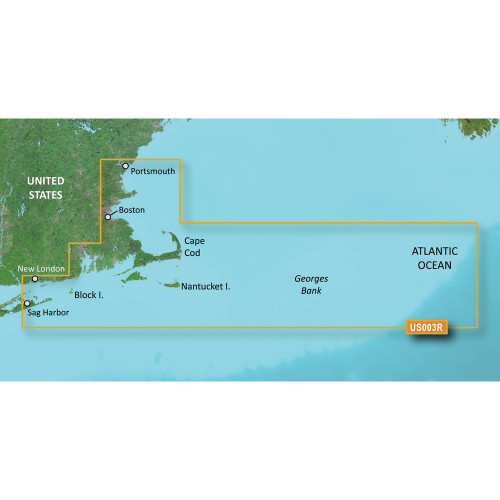
Garmin BlueChart g3 Vision HD Electronic Chart VUS003R Cape Cod, Auto Guidance, Relief Shading, Depth Range Shading, 1 ft Contours, Satellite Imagery

Garmin BlueChart g3 Vision HD VEU452S Electronic Chart, Adriatic Sea North Coast, Auto Guidance, 1 ft Contours, Depth Range Shading, High-Resolution Satellite Imagery