


Simrad Gimbal Bracket Knobs, For NSS/NSS evo2, Zeus2, HDS Gen2 Touch, Elite-7


-
Perfect Fit, Guaranteed
Get the right part every time
-
Expert Support
Our in-house specialists know our products inside and out
-
Enhanced Value & Service
We go beyond the sale with professional and balanced services
-
Wordwide Delivery
Enjoy hassle-free worldwide delivery
Simrad Gimbal Bracket Knobs, For NSS/NSS evo2, Zeus2, HDS Gen2 Touch, Elite-7

Simrad Gimbal Bracket Knobs, For NSS/NSS evo2, Zeus2, HDS Gen2 Touch, Elite-7
Overview
The Simrad 000-10467-001 is a replacement set of bracket mounting knobs used to secure compatible displays on their swivel bracket at the helm.
It is used with Simrad NSS series and is also compatible with Lowrance Elite-7 and HDS Gen2 Touch units. It is also used on Simrad NSS evo2 and B&G Zeus2 bracket-mounted installations. When your boat is bouncing in chop, properly tightened knobs help keep the screen where you set it instead of slowly sagging or shifting.
This is the right part when the original knobs are missing, cracked, or no longer hold tension. If your display is flush mounted or panel mounted, these knobs are not part of that install.
Key features
- Replacement bracket knobs for Simrad NSS series bracket-mounted installations
- Compatible with Lowrance Elite-7 and HDS Gen2 Touch units
- Also used with Simrad NSS evo2 and B&G Zeus2 bracket-mounted setups
- Helps keep the display angle locked in place when the boat is seeing vibration and repeated shock loads
- Simple hardware swap when knobs are worn, missing, or no longer tighten smoothly
Compatibility and fit
These knobs are intended for bracket mounts that clamp the display between two side arms and tighten by hand. Match compatibility to the display family listed above, and confirm your bracket uses the same knob style before ordering.
If you are replacing knobs after a rewire or electronics upgrade, check that the bracket arms are not bent and that the friction surfaces are clean. A bent bracket can feel like a knob problem because it will not hold angle evenly.
Installation and setup
Remove the old knobs, align the bracket arms with the display side mounts, then thread the new knobs on by hand until snug. Set your viewing angle and re-tighten so both sides feel even.
After the first run, re-check tightness once the boat has been through some movement. Avoid over-tightening, especially on plastic bracket arms, so you do not strip threads or distort the mount.
Use on board
This part makes sense for boats that rely on a bracket-mounted chartplotter or fishfinder at the helm, on a small console, or under a T-top where the screen angle gets adjusted often. It is also a practical spare to keep on board if you trailer, remove displays for security, or do frequent rigging work.
Maintenance and care
Rinse the area with fresh water after saltwater use and periodically check that the knobs still tighten smoothly. If grit builds up around the threads, back the knobs off and clean the contact points before re-installing.
We ship all in-store (FL) stock orders the same day if placed before 3 PM EST, Monday through Friday. Orders placed after this time will ship the next business day. Orders fulfilled from other warehouses or manufacturers may not ship the same day. If an item is out of stock, we will notify you promptly.
Related Products

Simrad NSS EVO2 & ZEUS2 7 Edge Bezels, Pair
Out of stock

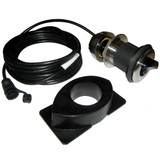
Simrad ForwardScan Transducer Kit, Sleeve & Plug, For NSS evo2/NSO evo2

Simrad NSS12 EVO2/ZEUS2-12 MFD Mounting Bracket
Out of stock

Lowrance - Gimbal Bracket f/HDS-7 Gen2 Touch
Out of stock

Simrad Gimbal Mounting Bracket, For NSS7 evo2, Zeus 2 7
Out of stock